How to use one phone number on two iPhones with iPhone Handoff, and what it really costs
iPhone Handoff puts one number on two iPhones. Setup steps, which carriers support it (T-Mobile $5/mo), and why deleting the eSIM won't cancel it.

You can use one phone number on two iPhones with iPhone Handoff, Apple's iOS 27 feature that moves your number to whichever iPhone you unlock. Setup takes a few taps in Settings, but whether you can use it depends on your carrier, it costs extra every month, and switching it off isn't as simple as deleting an eSIM. Here's the full setup, checked against Apple's and the carriers' own pages on Nov. 21, 2026.
The quick answer
To use one phone number on two iPhones, update both to iOS 27, sign in to the same Apple Account, turn on Messages in iCloud and join Wi-Fi. On the second iPhone, tap Settings > Cellular > Set Up Cellular > Use Number on This iPhone and Another. In the U.S., only T-Mobile supports it today, for $5 a month.
What is iPhone Handoff?
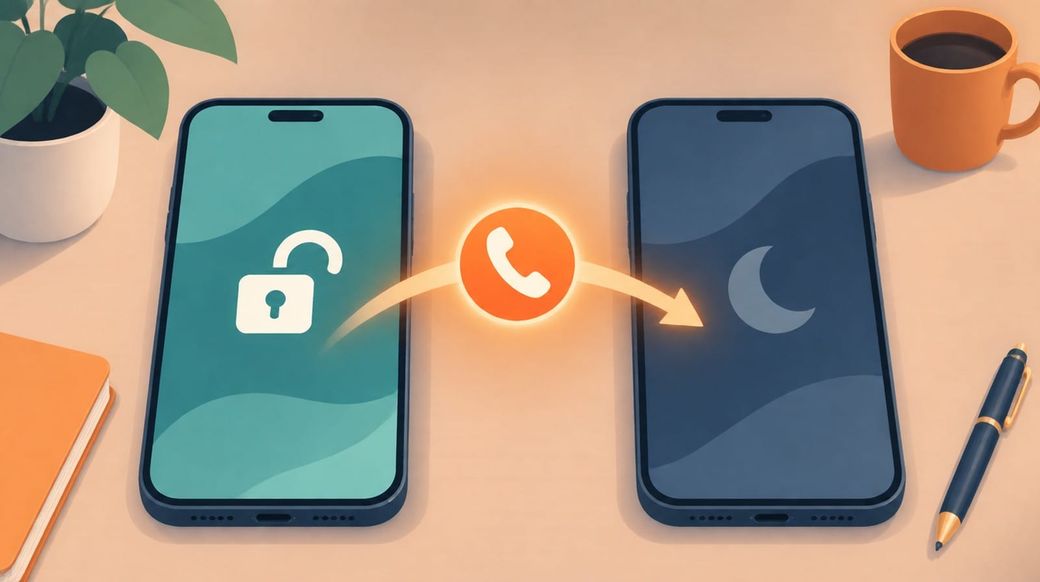
iPhone Handoff, not to be confused with the older Handoff that passes apps between Apple devices, shares one cellular number between a "main" and a "secondary" iPhone. According to Apple's support article, your calls, voicemail, messages (iMessage, RCS and SMS) and Find My location follow whichever iPhone you're using. Only one phone is active at a time: unlock the other one and your number moves to it, with a "Switched to this iPhone" banner to confirm.
It's built for people who carry different phones for different moments, such as an iPhone Duo for the weekend and an iPhone 18 Pro for work. It has been part of iOS 27 since launch; 9to5Mac resurfaced it on Nov. 20.
Which carriers support iPhone Handoff, and what does it cost?
This is the part most guides skip. We checked Apple's supported-carrier list and each U.S. carrier's own page on Nov. 21, 2026:
| Carrier (U.S.) | Status on Nov. 21 | Monthly fee | Per year | Source |
|---|---|---|---|---|
| T-Mobile | Available (on Apple's list) | $5, plus taxes and fees | $60 | T-Mobile |
| Verizon | Announced "coming soon," not on Apple's list yet | $10 (announced) | $120 | Verizon, Oct. 16 |
| AT&T | No support announced; not on Apple's list | n/a | n/a | Apple's list |
Outside the U.S., Apple lists Telekom in Germany and EE in the U.K. T-Mobile also limits it, at launch, to postpaid consumer and sole-proprietor accounts, so T-Mobile for Business lines can't use it yet.
How do you use one phone number on two iPhones you already own?
Before you start, check that both iPhones run iOS 27 or later, are on Wi-Fi, use the same Apple Account, have Messages in iCloud on, and are signed in to FaceTime and iMessage with that account. T-Mobile adds two-factor authentication and a passcode or Face ID on each phone. Then follow Apple's steps, with both phones side by side:
- On the iPhone that doesn't have your number yet, open Settings and tap Cellular.
- Tap Set Up Cellular or Add eSIM.
- Select Use Number on This iPhone and Another, then tap Continue twice.
- Choose your main iPhone: Other iPhone keeps the main eSIM on your current phone; This iPhone moves it to the new one. Tap Continue.
- On your current iPhone, tap Continue, then follow the prompts on both phones. On T-Mobile, you'll tap Get Started and confirm the $5-a-month plan.
Pick the phone you use most as the main one. Apple says carrier services such as Call Forwarding, Caller ID and account management only work from the main iPhone.
Can you turn it on while setting up a new iPhone?
Yes. On the new phone's Set Up Cellular screen, choose Use Number on This iPhone and Another and follow the prompts on both devices; the new iPhone becomes the main one. If both iPhones are new, Apple says to set up the first with "Use Number on This iPhone," skip cellular setup on the second, then use the Settings steps above.
What are the catches?
- Deleting the eSIM doesn't cancel it. Apple says you must contact your carrier to turn iPhone Handoff off, and your carrier "may continue to charge you" if you only delete the eSIM.
- Your Apple Watch stays put. The watch remains paired to one iPhone. Away from that phone, it needs Wi-Fi or its own cellular plan for calls and notifications. Pair it with the phone you use most.
- Dual SIM: Apple and T-Mobile disagree. Apple says two numbers can switch together if both carriers support Handoff. T-Mobile's FAQ says that, at launch, it works with only one active number per phone. On T-Mobile, plan for one line.
- Some Wallet items and apps won't follow you. Cards work on both phones, but Apple warns certain transit passes, IDs and corporate badges may work on only one. Banking apps may ask you to approve the second phone first, and some apps sign you out on the other device.
- The second phone gets its own plan. T-Mobile says the secondary iPhone gets unlimited U.S. talk, text and data with 50GB of premium data and 3G-speed hotspot, not your main plan's allowances.
Is iPhone Handoff worth it?
Our take: on T-Mobile, $60 a year is a fair price if you really do switch phones every week, say a work phone and a personal phone, or a foldable for weekends. If you only want a backup phone in a drawer, skip it and move your eSIM when you need it. Verizon customers should wait for the feature to go live (and for Apple to list it) before buying a second iPhone for it. On AT&T, there's nothing to set up yet. Skimwire hasn't tested iPhone Handoff; this guide is based on Apple's and the carriers' published instructions.
Troubleshooting
- I don't see "Use Number on This iPhone and Another." Update both phones (here's how to update an iPhone), check they share one Apple Account, and confirm your carrier is on Apple's list.
- Calls ring on the wrong phone. Your number lives on whichever iPhone you last unlocked. Keep a passcode on both so nobody else can switch it.
- My Mac or iPad stopped relaying calls. Apple says to update iPadOS, macOS and visionOS to the latest versions when using the Phone app's call relay.
Related: iPhone parental controls in iOS 27, how to set up passkeys and this year's Apple Black Friday gift-card offers if a second iPhone is on your list. More guides on the How-To hub.
FAQ
Can both iPhones ring at the same time with iPhone Handoff?
No. Apple says your number is active on only one iPhone at a time: whichever you last unlocked.
Does iPhone Handoff work with an Android phone or an iPad?
No. Both devices must be iPhones running iOS 27 or later. T-Mobile says tablets and other devices aren't eligible.
How do I turn off iPhone Handoff?
Contact your carrier. Apple says deleting the eSIM from your iPhone doesn't stop the service, and your carrier may keep charging until you ask it to turn Handoff off.
Does Verizon support iPhone Handoff yet?
Verizon announced on Oct. 16 that it will offer it for $10 a month, but Apple's supported-carrier list didn't include Verizon when we checked on Nov. 21, 2026.
Sources: Apple Support, Set up iPhone Handoff (published Nov. 3, 2026) and the iPhone User Guide; T-Mobile iPhone Handoff page and FAQ; Verizon news release, Oct. 16, 2026 (all read Nov. 21, 2026); 9to5Mac.