Fitbit Aria pairing ends Nov. 28: how to keep your scale syncing, and the fixes that will break it
Google ends pairing for Fitbit Aria and Aria 2 on Nov. 28. How to check your scale, what to do now and which common fixes to avoid.

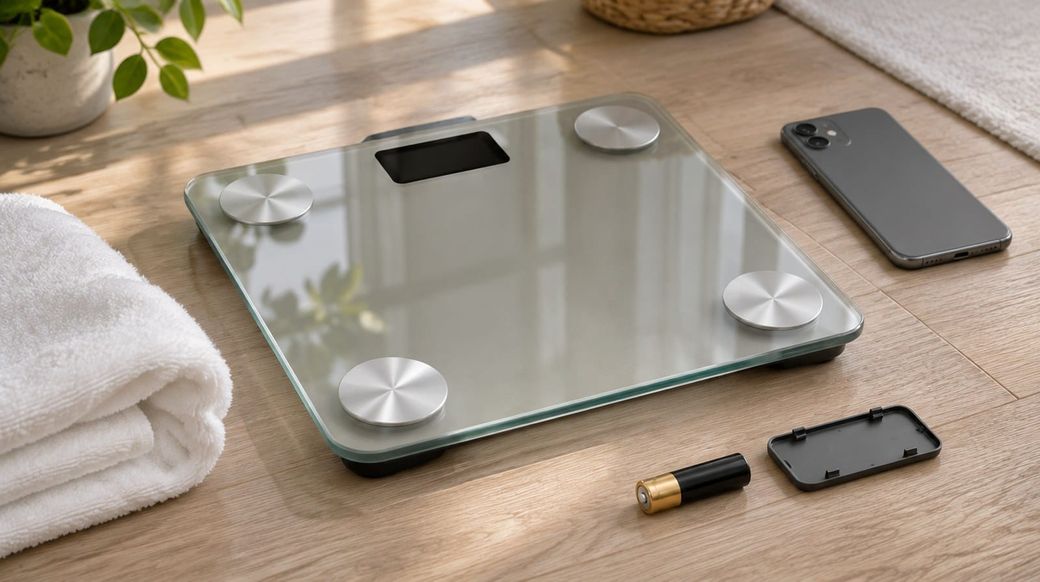
Fitbit Aria pairing ends Nov. 28, 2026: from that date, Google says the original Fitbit Aria and the Aria 2 Wi-Fi scales can't be paired or re-paired with the Google Health app. A scale that's already paired keeps syncing, but only as long as you never unpair it. Here's how to check which scale you have, what to do before Nov. 28, and which everyday fixes now carry a real risk.
The quick answer
If your Aria or Aria 2 is syncing today, leave it alone: don't unpair it, factory reset it or run its setup again. Google says paired scales keep syncing after Nov. 28 and your past weigh-ins stay put. If it ever drops off, the scale still weighs you, so log the number by hand in Google Health. The Aria Air isn't affected.
What exactly changes for Fitbit Aria scales on Nov. 28?
Google's Fitbit scale help page, read Nov. 23, 2026, says: "Starting November 28, 2026, with the release of app version 5.12, you can no longer pair or re-pair Aria and Aria 2 scales. If you choose to unpair your scale after this date, you will not be able to pair it again. Any scales that were paired prior to this date, and remain paired, will continue to sync. Previously synced data will not be impacted."
The same page says "Aria Air is not impacted by this change," and that security updates ended in 2020 for the original Aria and in 2022 for the Aria 2.
It's the same Nov. 28 date as Fitbit's cutoff for third-party apps and clock faces on Sense and Versa watches, so if your household has both, it's a good week to check every Fitbit device you own.
Is the cutoff already happening early?
Possibly, for some people. Android Authority reported on Nov. 23 that Google Health has already moved past version 5.12 (5.13 is rolling out) and pointed to a Reddit owner whose two original Aria scales could no longer connect. Gadgets & Wearables reported on Nov. 20 that the web setup flow now shows a message that Aria is no longer supported. Google's help page still gives Nov. 28 as the date, and we haven't confirmed the early block ourselves. Treat any unpaired Aria as possibly too late, and don't take chances with one that's working.
How do I know which Fitbit scale I have?
Google's help page says to flip the scale over and open the battery cover:
| Scale | Batteries (per Google) | Connects by | Affected by Nov. 28 cutoff? | Measures |
|---|---|---|---|---|
| Fitbit Aria (original) | 4 AA | Wi-Fi (web setup flow) | Yes | Weight, body fat %, BMI in the app |
| Fitbit Aria 2 | 3 AA, "Aria 2" printed on the back | Wi-Fi, set up in the Google Health app | Yes | Weight, body fat %, BMI in the app (can show BMI on the scale) |
| Fitbit Aria Air | 3 AAA | Your phone (Google Health app open nearby while you weigh in) | No | Weight, BMI in the app (no body fat %) |
Then open Google Health, tap Connections at the top left, and check that your scale is listed. If it is, and your latest weigh-in shows up in the app, it's paired and syncing.
What should Fitbit Aria owners do before Nov. 28?
- Confirm it's syncing. Step on the scale, then check that the new weigh-in appears in Google Health. If it lands as "Guest," see the troubleshooting section below before you touch any settings.
- Finish any Wi-Fi changes now. Google says Aria and Aria 2 need reconnecting if you change your network name, network provider, network password or router. If you're planning a new Black Friday router or a password change, do the scale's Wi-Fi step first, while pairing may still be possible. For the Aria 2, Google's steps are: open Google Health with the scale and router nearby, tap Connections, then Aria 2, then Wi-Fi Network or Pair Scale to Different Network, tap Next and follow the prompts. The original Aria uses the web flow at fitbit.com/scale/setup/start.
- Add family members now. Up to 8 people with their own Fitbit accounts can share an Aria or Aria 2, according to Google. To add someone in the app: Connections, your scale, then People Using This Scale and Invite More People on iPhone (Users and the + icon on Android). Google's notice doesn't say whether invites keep working after the cutoff, so don't wait.
- Save a copy of your weight history. Google says synced data isn't affected, but a backup costs nothing. With a Google Account, use Google Takeout and make sure Google Health is selected. If you still sign in with an old Fitbit login, Google's export page says to go to the Fitbit settings page, click Data Export and choose Request Data.
- Don't sell or give away a working Aria as a "smart" scale. The new owner would need to pair it, which Google says won't be possible after Nov. 28.
Which usual fixes can break your Aria's syncing for good?
This is the part most coverage skips. Several steps on Google's own Fitbit troubleshooting page send you back through setup, and after Nov. 28 setup is exactly what stops working. We sorted the page's advice by risk:
| Fix on Google's help page | When Google suggests it | After Nov. 28 |
|---|---|---|
| Take the batteries out for 10–30 seconds and put them back | Errors like SENSING or ERR, or weigh-ins going to a guest (Aria 2) | Low risk: it doesn't remove the scale from your account |
| Replace the batteries | Low-battery icon | Low risk |
| Tap the right or left side of the scale when it can't tell two users apart | Aria 2 shows a user icon | Low risk |
| Reassign a weigh-in: Connections, your scale, Recent Weigh-Ins | A weigh-in landed on the wrong person | Low risk |
| Remove a person from the scale | Someone moved out | Use care: their weigh-ins show as "Guest" afterward, and Google doesn't say whether re-adding them will still work |
| Reconnect to Wi-Fi | New router, network name, provider or password | Risky: Google's notice doesn't say whether Wi-Fi reconnection still works, and early reports say the setup flow is already blocked for some owners |
| Factory reset and run setup again | Aria 2 keeps assigning your weight to a guest | Don't. This is re-pairing, which Google says ends Nov. 28 |
| Unpair or remove the scale from your account | Selling it, or "starting fresh" | Don't. Google says you can't pair it again |
What if my Aria stops syncing anyway?
The scale still weighs you; the number just won't reach the app. You can log it by hand. Google's steps, checked against its add, edit or delete data page on Nov. 23:
- Open Google Health and go to the Today tab.
- Tap the Weight tile.
- On Android, tap Add Log Weight at the bottom. On iPhone, tap Add at the top.
- Enter your weight and tap Save.
Manual logs don't include body fat percentage from the scale, which is the main thing Aria and Aria 2 owners lose.
Troubleshooting: my weigh-ins show up as "Guest"
- Check your profile first. Google says a scale may label you a guest if your Fitbit profile's weight and height are off, or if the scale isn't linked to your account.
- Aria 2 can't tell two users apart? Google says tap the right side of the scale with your foot if the icon is yours, the left side if it isn't. Do nothing and the weigh-in goes to a guest.
- Still a guest on Aria 2? Google's next step is a battery pull for 30 seconds. Its step after that is a factory reset and new setup, which you should skip from Nov. 28 on. Reassign the stray weigh-ins instead.
- "NO SYNC" or a Wi-Fi icon with an X after a weigh-in? Google says that usually means your network settings changed. Make sure the router is on and near the scale before you try anything that involves setup.
Should you replace your Aria?
Not just because of Nov. 28. If yours syncs, it can keep doing that. Two reasons you might move on: Google stopped security updates years ago (2020 for Aria, 2022 for Aria 2), and Google's troubleshooting says your router must allow the 802.11b connection these scales require. If you shop, Google's page says the Aria Air isn't affected, but it doesn't measure body fat. Our fitness tech gift guide covers which trackers need a subscription.
Related: what to do as the Nest app shuts down and how to sign out of your Google account on other devices (handy before you give away old gear). More guides on the How-To hub.
FAQ
Will my Fitbit Aria stop working on Nov. 28?
No. Google says Aria and Aria 2 scales that were paired before Nov. 28, 2026, and stay paired, will keep syncing. What ends is pairing and re-pairing.
Will I lose my old weight data?
Google says previously synced data won't be affected. You can still download a copy through Google Takeout with Google Health selected.
Is the Fitbit Aria Air affected?
No. Google's help page says Aria Air isn't affected. It's the model that runs on 3 AAA batteries and syncs through the Google Health app on your phone.
Can I factory reset my Aria 2 after Nov. 28?
You can, but you shouldn't. A reset means running setup again, and Google says Aria and Aria 2 can't be paired or re-paired after Nov. 28.
How we checked: this guide follows Google Health and Google help pages read Nov. 23, 2026: How do I use my Fitbit scale?, add, edit or delete data, export your Google Health data and download your Google data. Early-block reports: Android Authority (Nov. 23) and Gadgets & Wearables (Nov. 20). We didn't test an Aria scale for this article; the risk ratings are our reading of Google's steps.