Google Home camera audio alerts: 9 sounds, $20 a month, and one big catch
Nest cameras can now describe sounds like glass breaking and barking. What it costs, which cameras work, and the cheaper glass-break option.

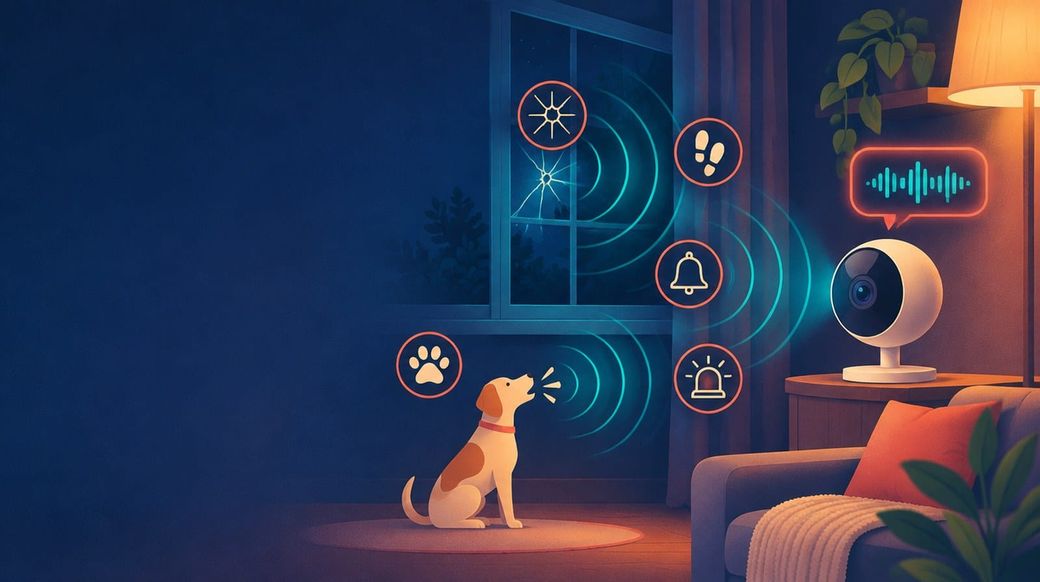
Google Home camera audio alerts arrived with Google's Nov. 17, 2026 Home update: Nest cameras and doorbells can now mention sounds like a dog barking or glass breaking in their AI event descriptions. It's a useful upgrade with a price tag and a limit attached, and it isn't the only way Google Home listens for trouble.
The skim
Google Home camera audio alerts add nine sounds, including glass breaking, barking and sirens, to Nest camera and doorbell event descriptions. You need the $20-a-month Google Home Premium Advanced plan and audio recording turned on, and sounds are only described when motion first triggers a recording. Standalone glass-break alerts on Nest speakers already come with the $10 Standard plan.
What did Google add to Nest cameras?
In its Nov. 17 Google Home update, Google said "Google Home Premium Advanced now detects audio — like barking dogs or breaking glass — in motion-triggered camera and doorbell event descriptions." Google's Gemini for Home camera features help page spells out how it works: AI descriptions "can include certain types of sounds heard during an event," for cameras "with the microphone and audio recording turned on."
So instead of a bare "Animal detected," an event might read along the lines of Google's own example, "dog barking and digging in garden." The short version of that description shows up in your phone notification if AI notifications are on, and you can search for sounds later with Ask Home, for example by asking when glass broke.
Which sounds can Nest cameras describe?
Google lists nine supported sound descriptions. It says "only non-verbal audio specified in the list is supported," so the feature doesn't describe what people say.
| Supported sound | Where it helps |
|---|---|
| Doorbell ringing | Doorbell and entryway cameras |
| Dog barking | Pet cams, backyard |
| Footsteps | Hallways, stairs |
| Glass breaking | Rooms with windows or glass doors |
| Loud banging or crashing | Garage, kitchen |
| Loud siren sound or alarms | Any room near a smoke or security alarm |
| Loud thudding or dropping sound | Falls, things knocked over |
| Screaming or crying | Nursery, kids' rooms |
| Gunshot | Outdoor cameras |
Source: Google Home Help, "Learn about Gemini for Home camera features," checked Nov. 18, 2026. "Where it helps" is Skimwire's suggestion.
What's the catch with Google Home camera audio alerts?
The camera has to see something first. Google's help page is explicit: "Audio is only captured and described when motion, people, animal, package, or vehicle first trigger a recorded camera event." Google's blog calls them "motion-triggered" descriptions, and Android Authority reports that audio isn't treated as a standalone event.
In practice, a window breaking in a room where nothing moves in the camera's view may not produce an event at all. That matters if the main thing you want is a break-in or smoke alarm alert. For that job, Google already has a different feature.
Do I need Google Home Premium Advanced for glass-break alerts?
Not necessarily. Google's sound detection for speakers and displays listens specifically for smoke alarms, carbon monoxide alarms and breaking glass, and sends a notification "even when you're not at home." It works on the Google Home Speaker (2026), Nest Audio, Nest Mini, Google Home Mini, Google Home, Nest Wifi point, Nest Hub and Nest Hub Max, needs a US address in the Google Home app, and is included with any Google Home Premium plan. The Google Store's plan page lists it under Standard: "Speakers and displays can hear glass breaking and smoke alarms sounding."
Some Nest cameras can also listen for smoke and CO alarms on their own. Google's camera detection page says that's available on Nest Cam (wired), Nest Cam (battery) with wired setup, and Nest Cam Indoor (2nd gen), and the store lists "smoke & CO alarm" among Standard's intelligent alerts.
| Sound feature | Works on | No plan | Standard ($10/mo or $100/yr) | Advanced ($20/mo or $200/yr) |
|---|---|---|---|---|
| Smoke/CO alarm and glass-break alerts | Nest speakers and displays (US address required) | No | Yes | Yes |
| Smoke/CO alarm sound alerts | Nest Cam (wired), Nest Cam (battery) wired, Nest Cam Indoor (2nd gen) | No | Yes | Yes |
| New: sounds in AI event descriptions and notifications | Nest cameras and doorbells in the Google Home app, mic and audio recording on | No | No | Yes |
| Search camera history by sound (Ask Home) | Same as above | No | No | Yes |
Prices from the Google Store, checked Nov. 18, 2026. Feature availability from Google Home Help pages checked the same day.
Google also says sound detection "isn't a replacement for an alarm system and can't contact emergency services" on your behalf. You can call 911 from the Google Home app with emergency calling, but nobody is monitoring for you.
Which Nest cameras get audio descriptions, and where?
According to Google's help page, Gemini for Home camera features work on Nest cameras set up in the Google Home app that launched in 2021 or later, plus older Nest cameras that have been transferred to the Google Home app. They're available only to adult admins of the home, and you have to accept Google's Gemini for Home disclosures first. AI descriptions are listed in 20 countries, including the US, Canada, the UK, Australia, Germany, France and Japan; Android Authority notes Google's support page lists the audio feature for select countries.
To turn it on, Google's steps are: open the Google Home app, tap Home, then Cameras and your camera, tap the player, then More, Settings and Events, and turn on Gemini for Home camera features. Then turn on the camera's microphone and audio recording, which Google says you need for sounds like "Baby crying" or "Siren."
The same update also improves Activity Zones. Android Authority reports Google tightened zone boundaries on its newest wired cameras to cut false alerts from passing cars, animals or movement just outside a zone, and moved the zone settings to an easier spot.
What about privacy?
Audio descriptions require audio recording, which means your saved clips include sound, not just video. Google says the audio is only captured and described around a motion-triggered event, and only for the nine listed non-verbal sounds. If you'd rather not record audio in certain rooms, you can keep audio off for those cameras or turn Gemini for Home camera features off per camera in the same Events menu.
What this means for you
- Already on Advanced: turn audio recording on for the cameras where sounds matter (backyard, nursery, garage). It's a free upgrade to what you're paying for, and it makes Ask Home searches more useful.
- On Standard and mainly worried about break-ins or smoke alarms: skip the upgrade. A Nest speaker or display in the room with the window or alarm already gives you dedicated glass-break and alarm alerts in the US.
- Thinking about Advanced: it's worth it if you also want 60 days of event history, 10 days of 24/7 recording and searchable descriptions. Sound descriptions alone don't justify the extra $10 a month.
- Google AI Pro subscribers: Google's plans page lists Google Home Premium Standard as an AI Pro benefit, so you may already have the speaker sound detection.
The same Nov. 17 update brought third-party room sensors for the Nest Learning Thermostat and home keys in Google Wallet for Android (Google Wallet on iPhone works differently; here's what Google Wallet on iPhone can and can't do). Shopping for a camera instead? See our looks at the Tapo C675D solar dual-lens kit and Ring's Drone Cam and Rover Cam. More smart home and gadget coverage is under Gadgets.
FAQ
Can Nest cameras detect glass breaking?
Yes, with Google Home Premium Advanced, a compatible camera and audio recording on, glass breaking can appear in AI event descriptions. It's only described when motion or another visual trigger starts a recorded event first.
How much does Google Home Premium Advanced cost?
$20 a month or $200 a year in the US, according to the Google Store on Nov. 18, 2026. Standard is $10 a month or $100 a year.
Do Nest speakers detect glass breaking without a camera?
Yes. With any Google Home Premium plan and a US address, Nest speakers and displays can alert you to breaking glass and smoke or carbon monoxide alarms. Google says it's not a replacement for an alarm system.
Which sounds do Google Home cameras describe?
Nine: doorbell ringing, dog barking, footsteps, glass breaking, loud banging or crashing, sirens or alarms, loud thudding or dropping sounds, screaming or crying, and gunshots. Speech isn't described.
How do I turn on audio descriptions on a Nest camera?
In the Google Home app, open your camera, tap the player, then More, Settings and Events, and turn on Gemini for Home camera features. Then turn on the camera's microphone and audio recording.
Skimwire hasn't tested audio descriptions on a Nest camera. Details come from Google's Nov. 17, 2026 Google Home update post, Google Home Help pages on Gemini for Home camera features, speaker and display sound detection, and Nest camera sound and motion detection, the Google Store's Google Home Premium page and Google One plans page, and Android Authority's report, all checked Nov. 18, 2026. This article has no affiliate links.