Apple Wallet driver's license states: where phone IDs work at TSA and the passport workaround for the other 28
Apple Wallet IDs work at TSA in 16 states plus Puerto Rico. The full state list for Apple, Google and Samsung, and the passport workaround.

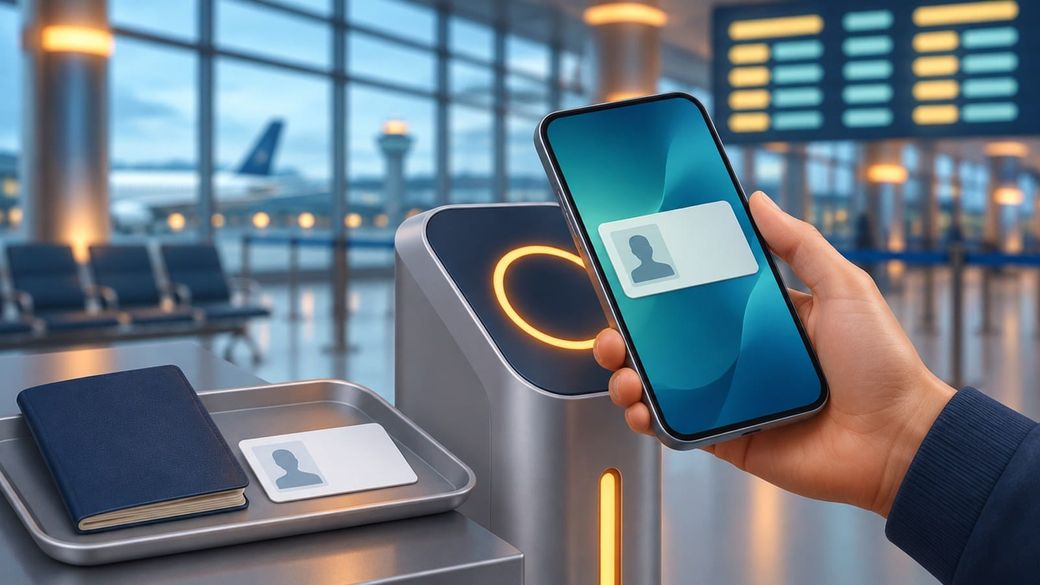
Apple Wallet driver's licenses work at TSA in 16 states plus Puerto Rico. Google Wallet works there in 11 states plus Puerto Rico, and Samsung Wallet in eight states. Counting state-made apps, phone IDs from 22 states and Puerto Rico are on TSA's checkpoint list. If you live in one of the other 28 states, including Florida, Texas and Pennsylvania, you can still put an ID on your phone by making one from your U.S. passport. Either way, TSA says you still have to carry a physical ID.
That matters today. TSA expected to screen more than 3 million people on Sunday, Nov. 29, its busiest day of the Thanksgiving week. On the same morning, 9to5Mac reported that Florida and Rhode Island don't plan to offer Apple Wallet licenses any time soon. So we put Apple's, Google's, Samsung's and TSA's own lists side by side to show what works in your state, where they disagree, and two state deadlines coming up in 2027.
The skim
- Apple Wallet states (16 + Puerto Rico): Arizona, Arkansas, California, Colorado, Georgia, Hawaii, Illinois, Iowa, Maryland, Montana, New Mexico, North Dakota, Ohio, Oklahoma, Virginia, West Virginia and Puerto Rico. Apple's list matches TSA's.
- No state ID on your phone? Any U.S. passport holder can create Apple's Digital ID or Google's ID pass from a passport. TSA accepts both for domestic flights, as part of what it calls ongoing testing. Samsung ID with CLEAR and CLEAR ID also make TSA's list.
- Coming deadlines: TSA stops accepting Utah's mobile license on Jan. 1, 2027, and West Virginia's on May 4, 2027.
- Bring the card anyway: TSA says every traveler must still carry an acceptable physical ID. If you forget it, TSA ConfirmID costs $45.
Quick answer: which states support Apple Wallet driver's licenses?
As of Nov. 29, 2026, Apple's ID in Wallet page lists 16 states and one territory: Arizona, Arkansas, California, Colorado, Georgia, Hawaii, Illinois, Iowa, Maryland, Montana, New Mexico, North Dakota, Ohio, Oklahoma, Puerto Rico, Virginia and West Virginia. TSA's participating states page lists Apple Wallet for the same 17. If your state isn't listed, you can create a passport-based Digital ID in Apple Wallet instead.
Does my state's phone ID work at TSA? The full list
We built this table from TSA's checkpoint list and checked it against Apple's and Google's own state lists, all read Nov. 29, 2026. "State app" means a phone ID app made by the state, such as New York's NY MiD.
| State / territory | Apple Wallet | Google Wallet | Samsung Wallet | State app |
|---|---|---|---|---|
| Alaska | No | No | No | Alaska Mobile ID |
| Arizona | Yes | Yes | Yes | — |
| Arkansas | Yes | Yes | Yes | Arkansas Mobile ID |
| California | Yes | Yes | No | California DMV Wallet |
| Colorado | Yes | Yes | Yes | CO Mobile ID |
| Connecticut | No | No | No | MiD Connecticut |
| Georgia | Yes | Yes | Yes | — |
| Hawaii | Yes | No | No | — |
| Illinois | Yes | No | No | — |
| Iowa | Yes | Yes | Yes | Iowa Mobile ID |
| Kentucky | No | No | No | KY Mobile ID |
| Louisiana | No | No | No | LA Wallet |
| Maryland | Yes | Yes | Yes | — |
| Montana | Yes | Yes | No | — |
| New Mexico | Yes | Yes | No | — |
| New York | No | No | No | NY MiD |
| North Dakota | Yes | Yes | Yes | — |
| Ohio | Yes | Yes | No | — |
| Oklahoma | Yes | Not on TSA's list* | No | — |
| Puerto Rico | Yes | Yes | No | — |
| Utah | No | No | No | GET Mobile (ends Jan. 1, 2027) |
| Virginia | Yes | No | No | VA MiD |
| West Virginia | Yes | No | Yes | WV MiD (TSA end date May 4, 2027) |
*Google's Google Wallet help page includes Oklahoma, but TSA's checkpoint table lists only Apple Wallet for Oklahoma. If you carry an Oklahoma ID in Google Wallet, keep your card handy at the checkpoint.
Our count: 22 states plus Puerto Rico appear on TSA's checkpoint list. That leaves 28 states with no phone license TSA takes: Alabama, Delaware, Florida, Idaho, Indiana, Kansas, Maine, Massachusetts, Michigan, Minnesota, Mississippi, Missouri, Nebraska, Nevada, New Hampshire, New Jersey, North Carolina, Oregon, Pennsylvania, Rhode Island, South Carolina, South Dakota, Tennessee, Texas, Vermont, Washington, Wisconsin and Wyoming. Washington, D.C. is in between. TSA's REAL ID mobile license page says D.C. has a federal waiver, but D.C. isn't in TSA's checkpoint table, so don't count on a D.C. phone ID at security yet.
Why won't Florida and Rhode Island offer Apple Wallet IDs?
Florida: Gov. Ron DeSantis posted on Nov. 28, 2025: "The convenience of a digital drivers license is outweighed by the potential for government to abuse it. Not gonna happen in FL. No digital ID." 9to5Mac notes that Florida offered a digital ID before and ended it in 2024. It also points out that Florida's newly redesigned license came with no digital ID announcement.
Rhode Island: 9to5Mac quotes the state's DMV administrator, Walter "Bud" Craddock, from a podcast this fall. He said TSA is "the main user right now," that until recently no New England airport could accept a mobile license, and that he wants one solution "across all platforms" rather than separate Apple and Google versions. AAMVA, the national group of motor vehicle agencies, says Craddock chaired its board until October 2026.
Both answers are about politics and budgets, not technology. Neither state has set a date. If you live there, the passport route below is your only way to get an ID on your phone for now.
No state ID in Wallet? Use your passport instead
TSA lists four passport-based IDs that work for domestic flights no matter where you live. You need an unexpired U.S. passport for all of them. These steps come from Apple and Google.
| Option | Phone you need | How you set it up |
|---|---|---|
| Digital ID in Apple Wallet | iPhone 11 or later (or Apple Watch Series 6+), latest iOS; Apple's ID page says iOS 26.1 or later. Apple Account with two-factor authentication. Must be 13 or older. | Wallet > Add Card > Driver's License or ID Cards > Digital ID. Scan the passport photo page, hold your iPhone on the passport chip, then take a selfie. |
| Google Wallet ID pass | Android 9 or later with NFC and a screen lock. | Google Wallet > Add to Wallet > ID > ID pass. Scan the passport page and chip, then record a short face video. Google says manual review usually takes 30 minutes or less. |
| Samsung ID with CLEAR | Galaxy phone with Samsung Wallet. | Samsung Wallet > Quick access > + > Digital IDs > Samsung ID with CLEAR. Samsung's page says CLEAR+ lanes cost extra. |
| CLEAR ID | Varies; set up through CLEAR. | TSA lists it for domestic travel. |
Two catches. First, a passport-based ID is not a passport, and Apple says it can't be used for international travel or border crossings. Second, set it up at home. Every option involves a verification step, and you don't want to be waiting on an approval in the security line.
Can you leave your physical ID at home?
No. TSA's digital ID page says "all passengers must still carry an acceptable compliant physical ID." Not every checkpoint has a reader. TSA says digital IDs work at more than 250 airports, and Apple tells travelers to check that their airport accepts mobile ID and to follow checkpoint signs. Your phone license also has to be based on a REAL ID or enhanced license. Google warns that a non-REAL ID license in Wallet won't be accepted at TSA.
If you do arrive without an acceptable ID, TSA's ID page says you can pay $45 for TSA ConfirmID so it can try to verify you. That option started Feb. 1, 2026, and a payment covers 10 days from your travel date. TSA also accepts listed IDs up to two years past their expiration date.
Utah and West Virginia: what changes in 2027?
Utah: TSA stops accepting Utah's mobile license on Jan. 1, 2027. Utah's Driver License Division says the current mDL is set to be repealed that day under Senate Bill 275, passed in 2026, which created a new State-Endorsed Digital Identity Program. If you fly over New Year's, use your card or a passport-based ID.
West Virginia: TSA's tables say West Virginia's mDL won't be accepted beginning May 4, 2027. The note sits on the state's whole row, which lists the WV MiD app, Apple Wallet and Samsung Wallet. TSA doesn't say whether it covers all three. Until TSA clarifies, treat it as applying to all of them, and recheck TSA's page before spring trips.
How to show your phone ID at the checkpoint
- iPhone: double-click the side button, authenticate with Face ID or Touch ID, tap your ID, and hold the top of your iPhone near the reader. Apple's present your ID page says you'll see a checkmark and "Done" when it works.
- Android (Google Wallet): unlock your phone, hold the back near the reader, review what's being shared, tap Continue, and authenticate. If the TSA officer prefers, open your ID in Wallet and let them scan its QR code.
- Samsung Wallet: tap near the reader and authenticate, or open the ID and choose View QR code.
- The photo is optional: TSA says it may take your photo to compare with your ID. You can decline by telling the officer before you present your ID, and you won't lose your place in line.
Running an older iOS version? Our guide to updating your iPhone walks through it. It's also worth doing for security reasons, as our Telegram "Update iOS" explainer shows.
What this means for you
Our take: add the ID if your state supports it. If it doesn't, make a passport ID. Either way, pack the card. At a checkpoint with a reader, a phone ID saves you a fumble at the podium, and you only share what the reader asks for. Apple says neither it nor your state can see when or where you use your ID. But it doesn't replace anything yet. TSA requires the physical ID anyway, readers aren't at every lane, and two states' phone IDs are on a countdown. For iPhone owners in the 28 states with no phone license at TSA, a passport-based Digital ID is the clear move, and it takes a few minutes at home. If your phone is your boarding pass, your ID and your payment card all at once, bring a charger. Our travel tech gift guide has power bank picks, and Google Wallet users on iPhone should read what Google Wallet can't do on iOS. More app guides are on our Apps hub.
FAQ
Can I fly with just my phone ID?
No. TSA accepts approved phone IDs at more than 250 airports but says every passenger must still carry an acceptable physical ID, such as a REAL ID license or a passport.
Why isn't my state in Apple Wallet?
Each state decides whether to issue a mobile license and on which platforms. Florida's governor has said no, and Rhode Island's DMV chief wants one cross-platform system first. Apple lists 16 states plus Puerto Rico as of Nov. 29, 2026.
Can I use Apple Wallet ID if my state doesn't support it?
Yes. If you have an unexpired U.S. passport and an iPhone 11 or later, you can create a Digital ID in Apple Wallet. TSA accepts it for domestic flights, but not for international travel.
What happens if I forget my ID at the airport?
TSA lets you pay a $45 TSA ConfirmID fee so it can try to verify your identity. You can pay it online before you get to the airport, and it's valid for 10 days.
How we checked: TSA's participating states page, digital ID page, REAL ID mobile license page, acceptable ID page, ConfirmID page and Nov. 24 Thanksgiving release; Apple's ID in Wallet page and Support articles 118237 and 123719 (both published Oct. 26, 2026); Google Wallet Help pages on driver's licenses and ID pass; Samsung's Digital ID page; and Utah's Driver License Division mDL page. All were read 1:33–1:45 p.m. MT, Nov. 29, 2026. We verified Gov. DeSantis's post through the X API and Craddock's title on AAMVA's site. The Rhode Island quotes come from 9to5Mac's Nov. 29 report, which prompted this piece. We didn't test these IDs at a checkpoint. State support changes, so check TSA's list before you fly.
Sources: TSA participating states, TSA REAL ID mDLs, TSA Thanksgiving forecast, Apple ID in Wallet, Google Wallet IDs, Samsung Wallet Digital ID, AAMVA, 9to5Mac.