Apple drops the Siri AI waitlist for most people. Here's how to turn it on
Apple's support page now says Siri AI downloads automatically, with a waitlist only in times of high demand.

The skim
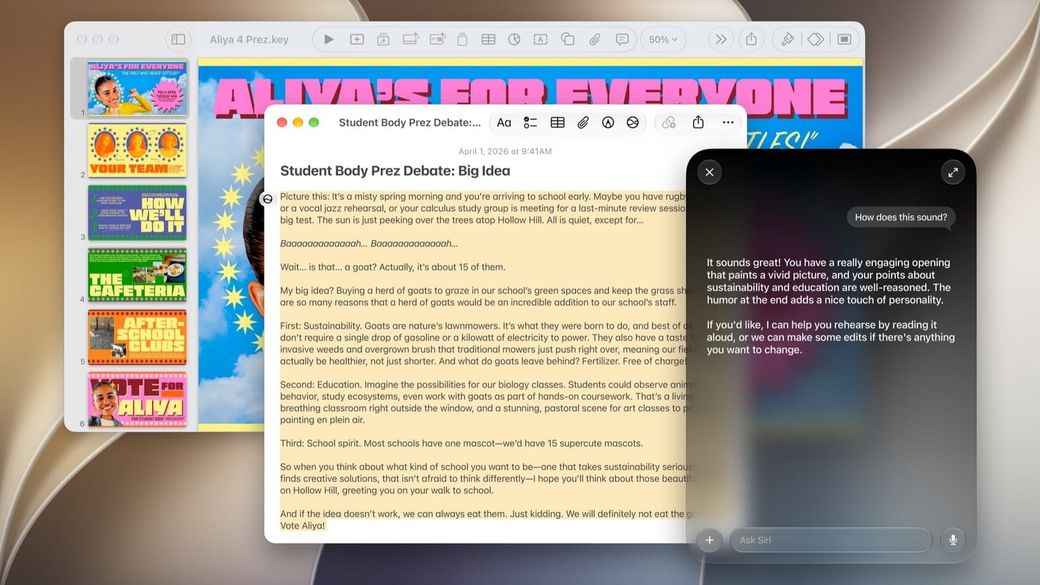
- Apple has quietly dropped the default Siri AI waitlist. Its support page now says Siri AI "will begin to download automatically" once you turn it on.
- Apple may still put you on a waitlist "during time of high demand," so the line hasn't gone away completely.
- To turn it on, update your device, then go to Settings > Siri > Try Siri AI (Beta). You'll need an iPhone 15 Pro or newer, an M1 or later iPad or Mac, or another supported device.
What happened
Apple has updated its "How to get Siri AI" support document, and the new wording changes how quickly most people get the new assistant. As 9to5Mac spotted, the page used to say that turning on Siri AI "will add you to a waitlist, and wait times can vary. Siri AI will begin to download automatically when your wait is complete." The Mac Observer quoted the same waitlist wording in October.
The page, now dated Nov. 2, reads: "Siri AI will begin to download automatically. During time of high demand, you might be added to a waitlist first, and wait times can vary."
Apple launched Siri AI in beta with its 2027 software releases on Sept. 14. It has since expanded from English to French, Japanese, Korean, Portuguese and Spanish.
Why it matters
If you've held off because you didn't want to sit in a queue, you can likely skip it now. It also matters for HomeView buyers. The Mac Observer notes that HomeView's personal requests, like pulling up your calendar or messages, need Siri AI turned on with a paired iPhone or iPad. HomeView ships Nov. 13.
How to turn on Siri AI
- Update your device to iOS 27, iPadOS 27, macOS 27 Golden Gate, visionOS 27 or watchOS 27.
- Open Settings, tap or click Siri, then tap or click Try Siri AI (Beta). If Siri is off, tap Turn On Siri first.
- Follow the onscreen steps to pick a voice, finish voice enrollment and review your privacy settings. Siri AI then downloads in the background.
Your device language and Siri language have to be set to the same supported language, and your Apple Account has to be in an eligible region.
Who can get it
According to Apple, Siri AI works on iPhone 15 Pro models and later, iPhone 16 models and later, iPhone Duo and iPhone Air. It also works on iPad mini (A17 Pro) and iPads with M1 or later, Macs with M1 or later (plus the A18 Pro MacBook Neo), and any Apple Vision Pro. On Apple Watch, it needs a Series 9 or later, Ultra 2 or later or SE 3, paired with an iPhone that has Siri AI on.
A few limits still apply. Siri AI isn't available on iPhone, iPad or Apple Watch in the EU, and it doesn't work with mainland China Apple Accounts. It's not available to users under 13. Apple also says server-based features, Siri AI included, are subject to daily usage limits, and that "expanded access to such features will be available for a fee in the future." Apple hasn't said what that fee will be or when it starts.
Sources: Apple Support, 9to5Mac, The Mac Observer, Apple Newsroom.