Chrome now asks before it loads any public site without HTTPS
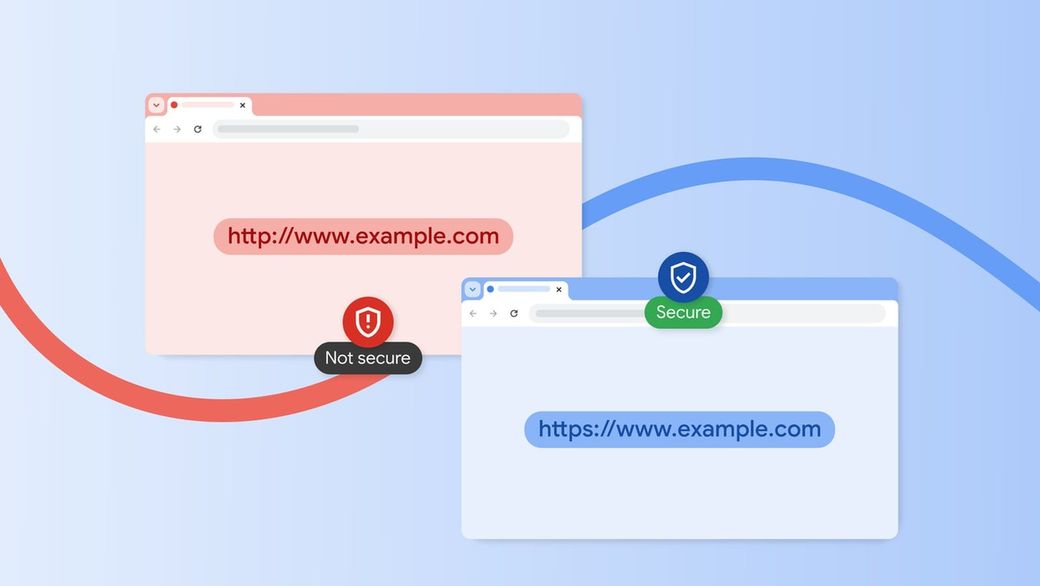
Chrome's Always Use Secure Connections setting is now on for everyone, so you get a warning before an unencrypted HTTP page loads.
The skim
- Google Chrome now asks for your permission before it loads any public website that doesn't use HTTPS. The "Always Use Secure Connections" setting is on by default for everyone.
- Once you approve an HTTP site, Chrome won't warn you about it again unless you haven't visited it for at least two weeks. Local addresses like your router's 192.168.0.1 page are exempt.
- Google says nearly 95% of Chrome users on desktop don't see any HTTP warning in a given week, and fewer than 1% see three or more.
What changed
Google announced on October 21 that Chrome now "explicitly asks users for permission before making an insecure HTTP connection." The feature has been around since 2022 as an opt-in setting. Earlier this year Google turned it on for people using Safe Browsing's Enhanced Protection mode, and now it's the default for all users.
In practice, Chrome tries HTTPS first. If a public site doesn't support it, you get a warning with the choice to go back or continue. Google set the timeline a year ago, when it said it would flip the default with Chrome 154 in October 2026.
Why Google did it
Chrome's old "Not Secure" label in the address bar only appears after the connection has already happened, and Google says people often miss it. It also never shows up for quick HTTP hops, like a link that redirects to an HTTPS page, even though that brief unencrypted moment can be hijacked. "Any unprotected HTTP request offers an opportunity for an attacker to inject malicious content," Google's Chrome team wrote.
Google says the web is finally secure enough to warn without annoying everyone. In its 2025 plan, it said HTTPS had reached about 95-99% of Chrome page loads around 2020 and then plateaued. Exceptions keep the warnings down: sites that can't get a public HTTPS certificate, such as single-label intranet names or local IP addresses, don't trigger the prompt by default.
Why it matters
For most people, nothing will look different. You may see a warning now and then on an old or niche site. If you trust the site, click through and Chrome will remember. If you'd rather not see the warnings at all, Android Authority notes you can turn them off under Settings > Privacy and security > Security > Always use secure connections.
The bigger effect is on whoever runs a site that is still HTTP-only, because every Chrome visitor now hits a warning first. Google notes that HTTPS certificates for public sites are free and easy to get, and Google has a guide for site owners who need to migrate. Google says Chrome is the first browser to make this the default and hopes others follow.
Sources: Google, Google (2025 plan), Android Authority, The Verge.