Android Auto is failing for some Samsung Galaxy owners after One UI 9
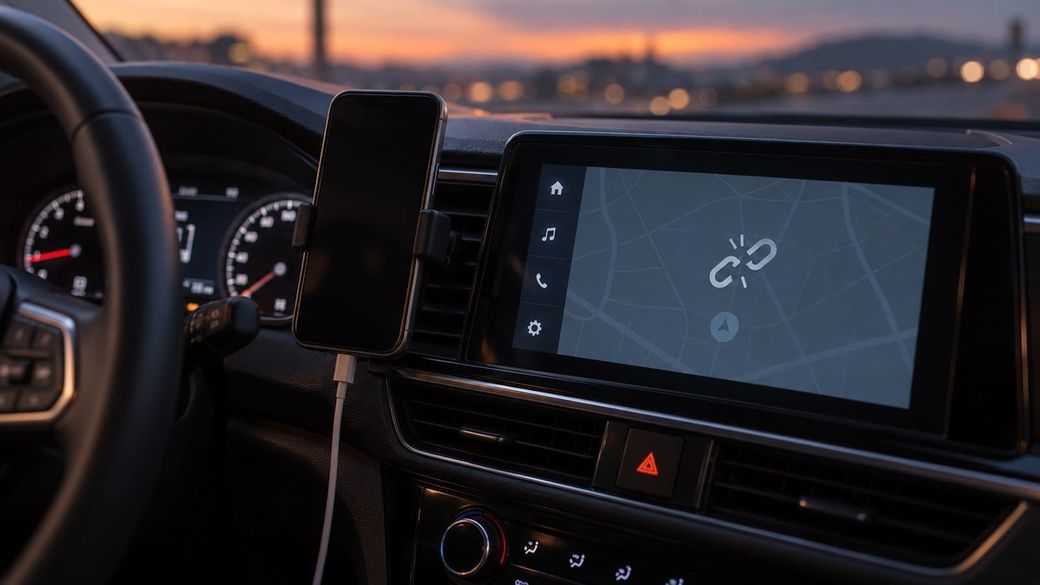
Galaxy S26, S24 Ultra and A55 owners report Android Auto dropping or refusing to connect after One UI 9. Google has the reports; no fix yet.

The skim
- Some Samsung Galaxy owners say Android Auto stopped connecting, or keeps dropping or stuttering, after they installed One UI 9, Samsung's Android 17 update.
- Reports cover several models, including the Galaxy S26, S24 Ultra and A55. Google has told at least one user the report was passed to the Android Auto team.
- There's no confirmed cause or fix yet, and plenty of Galaxy owners say Android Auto works fine.
What's happening
As One UI 9 rolls out more widely, complaints about Android Auto have been piling up on Reddit, Samsung's community forums and Google's help forums, 9to5Google reports. It's "not a massively widespread problem," the site says, but there's "a clear pattern." People describe stuttering performance or connections that fail entirely.
Android Authority found a Galaxy S26 owner on Samsung's forum who said Android Auto stopped working after the update, and that re-pairing, clearing app data and switching to a wired connection didn't help. Another user, with a Galaxy S25 Edge, said two Samsung phones on One UI 8.5 connected fine, but updating a Galaxy S24 Ultra to One UI 9 reproduced the problem. That's one person's test, not proof, but it points at the update.
Google responded to a Galaxy A55 owner's complaint to say the Android Auto team received the report and forwarded it internally. Android Authority says it has asked Google whether it's investigating and whether a fix is coming. Neither Google nor Samsung has announced a fix.
Why it matters
For a lot of drivers, Android Auto is how they navigate, take calls and play music, so a phone update that breaks it is more than a small annoyance. Android Auto has had connection hiccups on Galaxy phones before, including wireless disconnects on the A55, so it's not yet clear whether this is new or an old bug resurfacing.
What you can try
If Android Auto broke after you updated, these are Google's official troubleshooting steps. They won't fix a software bug, but they rule out the common causes:
- Swap the USB cable. Google says if Android Auto used to work and now doesn't, replacing the cable will likely fix it. Use one under 3 feet (1 meter), ideally the one that came with your phone, and skip hubs and extensions.
- Restart your car's infotainment system and make sure Android Auto is turned on in the car's settings.
- Forget saved cars. Unplug your phone, then go to Google's listed path, Settings > Connected devices > Connection preferences > Android Auto > Previously connected cars, tap the menu at top right and choose Forget all cars. Then plug in again. Menu names can vary slightly by phone; Google's steps are written for connecting to a second car.
- Check for updates to your phone and to aftermarket head units from makers like Pioneer or Kenwood.
If you haven't installed One UI 9 yet and Android Auto is essential to you, it may be worth waiting a few days for Samsung or Google to respond.
Sources: 9to5Google, Android Authority and Android Auto Help.